
This tutorial is for configuring the responsive slider you can see on my blogger themes.
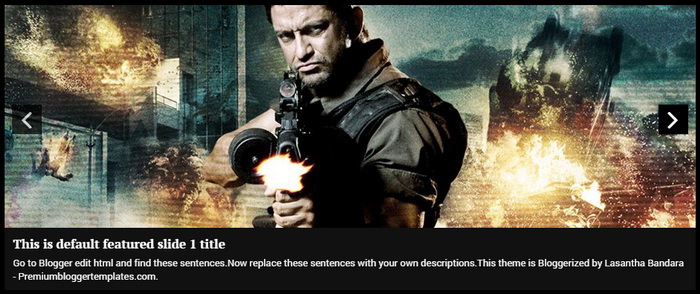
Tosetup this featured image slider with your content you need to visit "Edit HTML" page of your blog.
Find this line:
There are 5 slides in theslider . Each slide code is wrapped by <li > and </li >. Look at the example code below. It is the first slide code of one of my theme :
Final slide code will look like this:
To
Find this line:
<! -- Featured Content Slider Started-- >
There are 5 slides in the
<Now replace,! -- Slide 1 Code Start --> <li > <ahref ='ENTER-SLIDE-1-LINK-HERE'><img src="https://blogger.googleusercontent.com/img/b/R29vZ2xl/AVvXsEhWdP6q8ZmGLaiL3I6bWzTnXCd0OyYUBax_A3mr_-hbg2c2FxG3G2b-c3Ive3HjunuAGalbaHkeHcBmGbl_VKWMO4sjkXd8j5wm7dwiShYcHLMue9db-2qgWIUgpt76Lv2hJSs7H4pXYqQ/s1600/1.jpg"/></a> <div class="flex-slideinfo "> <h3><ahref ='ENTER-SLIDE-1-LINK-HERE'>This is default featured slide 1 title</a></h3> <p >Go to Blogger edit html and find these sentences. Now replace these sentences with your own descriptions. This theme is Bloggerized by Lasantha Bandara - Premiumbloggertemplates.com.</p> </div> </li > <! -- Slide 1 Code End-- >
- "This is default featured slide 1 title" with your featured post title.
- "ENTER-SLIDE-1-LINK-HERE" with your featured post URL.
- "Go to Blogger edit html and find these sentences
. Now replace these sentences with your own descriptions. This theme is Bloggerized by Lasantha Bandara - Premiumbloggertemplates.com. - "https://blogger.googleusercontent.com/img/b/R29vZ2xl/AVvXsEhWdP6q8ZmGLaiL3I6bWzTnXCd0OyYUBax_A3mr_-hbg2c2FxG3G2b-c3Ive3HjunuAGalbaHkeHcBmGbl_VKWMO4sjkXd8j5wm7dwiShYcHLMue9db-2qgWIUgpt76Lv2hJSs7H4pXYqQ/s1600/1.jpg" with your slider image.
<There are another 4 slide codes you have to configure like this.! -- Slide 1 Code Start --> <li > <a href='http://www.bloggertipandtrick.net/how-to-remove-blogger-navbar/'><img src="http://www.bloggertipandtrick.net/wp-content/uploads/2009/03/hide-blogger-navbar.png"/></a> <div class="flex-slideinfo "> <h3><a href='http://www.bloggertipandtrick.net/how-to-remove-blogger-navbar/'>How To Remove/Hide Blogger Navbar</a></h3> <p>Don't you like to keep the default Navbar in your Blogger blog? This tutorial will show you how to quickly remove/hide blogger navbar from your blog.</p > </div> </li > <! -- Slide 1 Code End-- >


No comments:
Post a Comment